
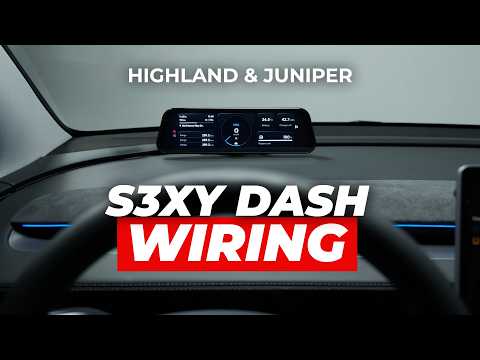
Video Reviews

See the S3XY Dash in action and hear what real Tesla drivers love about it!
Video thumbnail
enhance-auto
enhance-auto
enhance-auto
enhance-auto
enhance-auto
enhance-auto
enhance-auto
enhance-auto
enhance-auto
Video thumbnail
enhance-auto
enhance-auto
enhance-auto
enhance-auto
enhance-auto
enhance-auto
enhance-auto
enhance-auto
enhance-auto
enhance-auto
enhance-auto
enhance-auto
Video thumbnail
Watch Our Video
The S3XY Dash is set to become the world’s most customizable instrument cluster. Catch a glimpse of its early magic in this video!
Video thumbnail
Advanced Features

The S3XY Dash is a versatile device crafted to enhance your comfort, convenience, and safety on every drive.

enhance-auto
Speedometer Data
enhance-auto
Real-time Awareness
enhance-auto
Adaptive Apple CarPlay
enhance-auto
Resizable AA Screen
enhance-auto
Detailed Trip Statistics
enhance-auto
Autopilot Status & Alerts
enhance-auto
Real-Time CAN Bus Data
enhance-auto
Blind Spot Monitoring
New features and customization options will be added regularly via OTA updates, based on user feedback.
Installation Videos

We make all of our products easy to install, so that every user can do it themselves.
More detailed videos are available on our YouTube channel.

Video thumbnail

Q&A

Can I buy the S3XY Dash without a Commander?

Yes if you own a Gen2 Commander. Just visit the Standalone section of our Shop.

Via a USB-C cable that runs discreetly under the main dash panel. No, you do not need to disassemble anything. If you want to see how it’s done, follow our YouTube channel, as we’ll be posting a full tutorial very soon.

The S3XY Dash works only with a Gen2 Commander installed at the front right A-pillar port.

• 2018–2020 models: no cable selection required.
• 2021–2024 models: a front installation cable is required if you don’t already have one.
• Highland and Juniper models: no cable selection required.

No. If you have a Commander, you can pair the S3XY Dash with it.

The S3XY Dash does not require your phone to be active at all times. However, your phone's WiFi needs to be ON if want to use CarPlay or Android Auto. If you want to listen music or navigate with online maps you should have an internet connection on your phone (cellular).

Deliveries will begin in early February, and we will ship around 200 units per day until all pre-orders are fulfilled.

  • Batch 1 will be shipped by the end of February.
  • Batch 2 will be shipped by the end of March.
  • And so on.

Ongoing Issues

  1. Dash AA Audio - We are currenly working on implementing a solution so your Audio output can go through the car, not the Dash, for users with Samsung Galaxy S24 & S25 (all other devices are working properly). 
  2. Dash Navigation Widget - In some cases, the widget can stop showing the destination you are going to. This issue comes from Tesla's API, and we have informed them about it.
  3. Inaccurate Statistics - Following an update to Tesla’s software, certain statistics, such as Rear Front Output, Brake Temperature, and others, may not display correctly in the S3XY Dash or App. We are working on a fix and expect to release an update addressing this issue shortly.
  4. Order Canceling - You don’t need to cancel your order to make changes. Our team can modify it for you. Canceling and placing a new order may delay your delivery time.

Contact Us

Please review the list of issues we are currently working on above.

enhance-auto

New enhance-auto 1000 units sold in 53 minutes!

S3XY Dash

The first customizable instrument cluster for Tesla with CarPlay & Android Auto for Model 3 and Y!

Get Dash + Commander

Already have a Commander?Get the Dash on its own →

4.82 enhance-auto 29 reviewsInstalls in minutes
enhance-auto CarPlay & Android Auto
enhance-auto Live Stats Data
enhance-auto Blind Spot Monitoring
enhance-auto +50 more features

Trusted By The Community

See the S3XY Dash in action and hear what real Tesla drivers love about it!
Video thumbnail
enhance-auto
enhance-auto
enhance-auto
enhance-auto
enhance-auto
enhance-auto
enhance-auto
enhance-auto
enhance-auto
enhance-auto
enhance-auto
enhance-auto
enhance-auto
enhance-auto
enhance-auto
enhance-auto
enhance-auto
enhance-auto
enhance-auto
enhance-auto
enhance-auto
Video thumbnail

What Can S3XY Dash Do?

Everything you need to see. Right where you look.

Endless Possibilities

Up to 8 screens.
Switching on their own.

Layouts change automatically with your drive state.

enhance-auto

Advanced Controls

Tap it. Don't dig for it.

Actions, live stats and your apps, one glance away.

enhance-auto
9.6"Driver display, right behind the wheel.
130+Functions to set up from the app.

Adjustable Sizes

Every widget.
Your size.

Resize and move any action, stat or special widget.

enhance-auto

Stay Notified

See it without
turning your head.

Blind spot, Autopilot and speed limit alerts in your eyeline.

enhance-auto
Advanced Features

The S3XY Dash is a versatile device crafted to enhance your comfort, convenience, and safety on every drive.

enhance-auto
Speedometer Data
enhance-auto
Real-time Awareness
enhance-auto
Adaptive Apple CarPlay
enhance-auto
Resizable AA Screen
enhance-auto
Detailed Trip Statistics
enhance-auto
Autopilot Status & Alerts
enhance-auto
Real-Time CAN Bus Data
enhance-auto
Blind Spot Monitoring
New features and customization options will be added regularly via OTA updates, based on user feedback.

Installation Guide

Find the video for your exact Tesla and see how it installs, step by step.

Video thumbnail
Matches your model
01 / 05

Model 3 Highland Front Installation

  • enhance-auto Installation for Model 3 Refreshed - Highland 2024
  • enhance-auto Easy to hide the Commander at the right side pillar under the glovebox
  • enhance-auto Use the same cable as Front Installation for Model 3/Y with AMD Ryzen
Video thumbnail
Matches your model
02 / 05

Model Y after June 2023 Driver's Foot-well Installation

  • enhance-auto Location of the Rear connector moved from the back of the central console to the left side of the central console, next to the driver's footwell area. Connector and cable is the same as for Rear installation.
  • enhance-auto Fast and easy installation at the left side of the Central Console, driver's footwell
Video thumbnail
Matches your model
03 / 05

Model 3/Y 2018-2023 Standard [rear] Installation

  • enhance-auto Standard installation for most 3/Y models, except 2023 Model Y SR Austin Build
  • enhance-auto Fast and easy installation at the back of the Central Console
  • enhance-auto Not ideal for people that have other accessories connected at the same connector
Video thumbnail
Matches your model
04 / 05

Model 3/Y 2021-2023 Advanced [front] Installation

  • enhance-auto For Model 3/Y with AMD Ryzen MCU
  • enhance-auto Easy to hide the Commander at the right side pillar under the glovebox
  • enhance-auto Ideal for people that have other accessories connected at the back of the Central Console
Video thumbnail
Matches your model
05 / 05

Model S/X 2021-2023 Front Installation

  • enhance-auto For Model S/X Refreshed - PLAID and RAVEN
  • enhance-auto Easy to hide the Commander under the main screen

Frequently Asked Questions

Do I need a Commander, and do I need a second one?

The Dash only runs with a Gen2 Commander installed at the front right A-pillar OBD port. If you already own one, choose the Dash-only kit — you do not need a second Commander.

In stock. Orders ship within 8 business days.

The S3XY Dash works only with a Gen2 Commander installed at the front right A-pillar port.

• 2018–2020 models: no cable selection required.
• 2021–2024 models: a front installation cable is required if you don’t already have one.
• Highland and Juniper models: no cable selection required.

Via a USB-C cable that runs discreetly under the main dash panel. No, you do not need to disassemble anything. If you want to see how it’s done, follow our YouTube channel, as we’ll be posting a full tutorial very soon.

The S3XY Dash does not require your phone to be active at all times. However, your phone's WiFi needs to be ON if want to use CarPlay or Android Auto. If you want to listen music or navigate with online maps you should have an internet connection on your phone (cellular).

Items can be returned within 14 days of receipt.

New features and customization options will be added regularly via OTA updates, based on user feedback.